The New Editor: A Fundamentally New Way to Create Emails
We've been teasing this one for a while. Today we're shipping the biggest update in Audienceful's history: a completely rebuilt editor experience.
Our vision has always been to eliminate the gap between writing an email and knowing exactly how it will look in the inbox. No more switching tabs, no more "send a test to myself," no more guessing. Today that vision is real.
Live Inbox Preview ✉️
As you write, you now see a true 1:1 representation of how your email will render in the inbox. Not an approximation. The real thing. Every font, every spacing decision, every color. What you see is what your subscribers get.
This isn't a side panel or a separate preview mode. It's the editor itself. You're writing directly inside a live inbox view.
Real-Time Collaboration 🤝
Multiple team members can now work on the same email simultaneously. See each other's cursors, edits, and changes as they happen, just like you'd expect from a modern collaboration tool.
No more "who has the latest version?" or copy-pasting between drafts. Your whole team writes, reviews, and refines in one place.
Block-Level Overrides 🎨
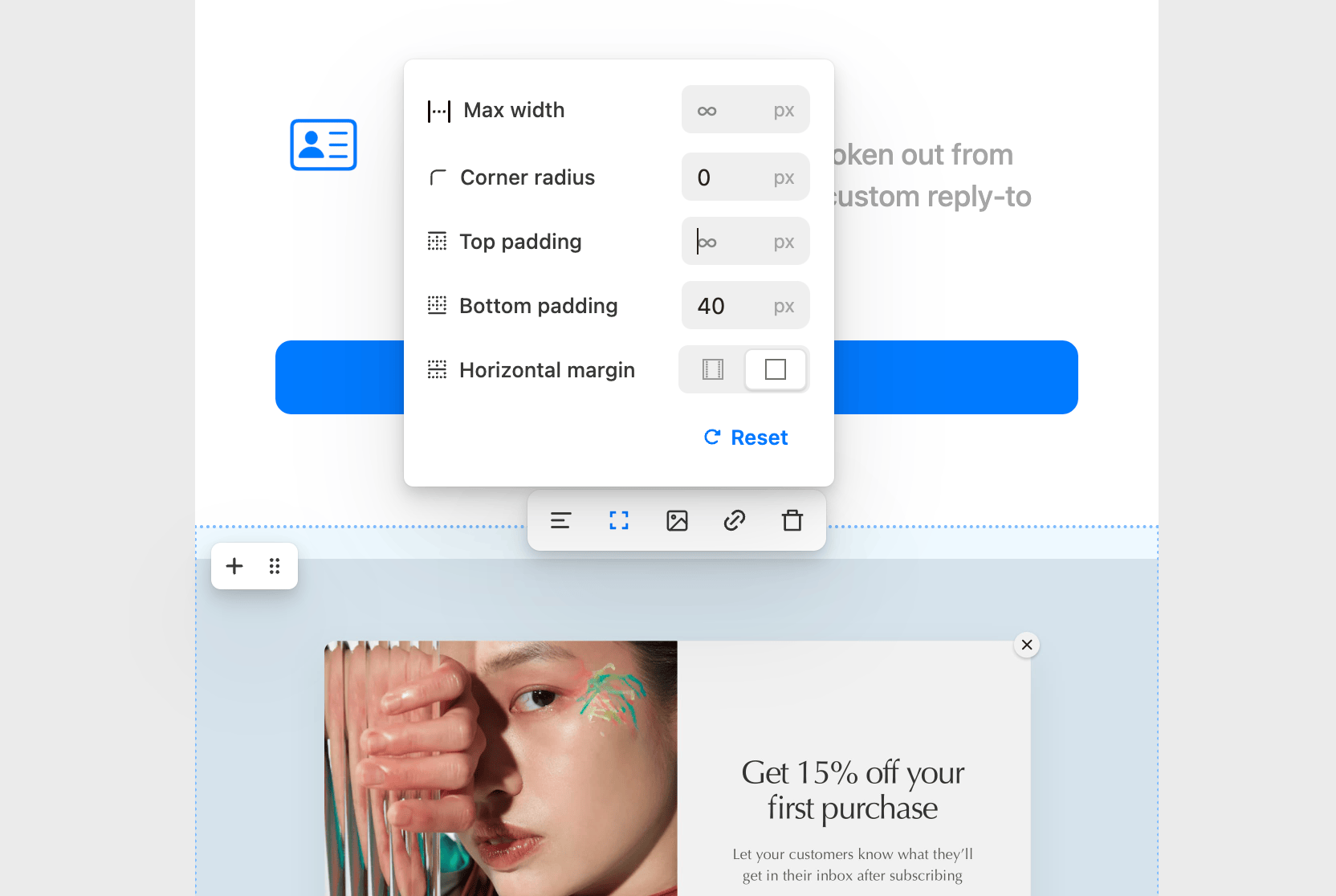
Themes are great for keeping things consistent. But sometimes you need a section to break out of the mold. Now you can override your theme at the individual block level:
- Layout: Set custom max-widths, vertical spacing, collapse margins, and customize multi-column and container blocks
- Typography: Override your theme's type styles with custom fonts, sizes, and line heights
- Color: Set custom colors on any block without touching your global theme
This means you get the consistency of a design system AND the flexibility to make any section look exactly how you want.
Multi-Column Layouts 📐
You can now build complex, multi-column email layouts directly in the editor. Side-by-side content blocks, image grids, product showcases, whatever your design calls for. Full control over column widths, spacing, and responsive behavior.
Image Manipulation 🖼️
No more jumping to Figma or Photoshop for basic image edits. You can now resize, crop, and adjust images right inside the editor. Combined with our existing paste-from-anywhere support (Unsplash, DALL-E, etc.), the image workflow is now completely self-contained.
And more
- Dozens of new block types and integrations
- Improved keyboard shortcuts for power users
- Faster load times and smoother scrolling on large drafts
- A cleaner, more focused UI across the board
This is the foundation for everything we're building next. We can't wait to see what you create with it.