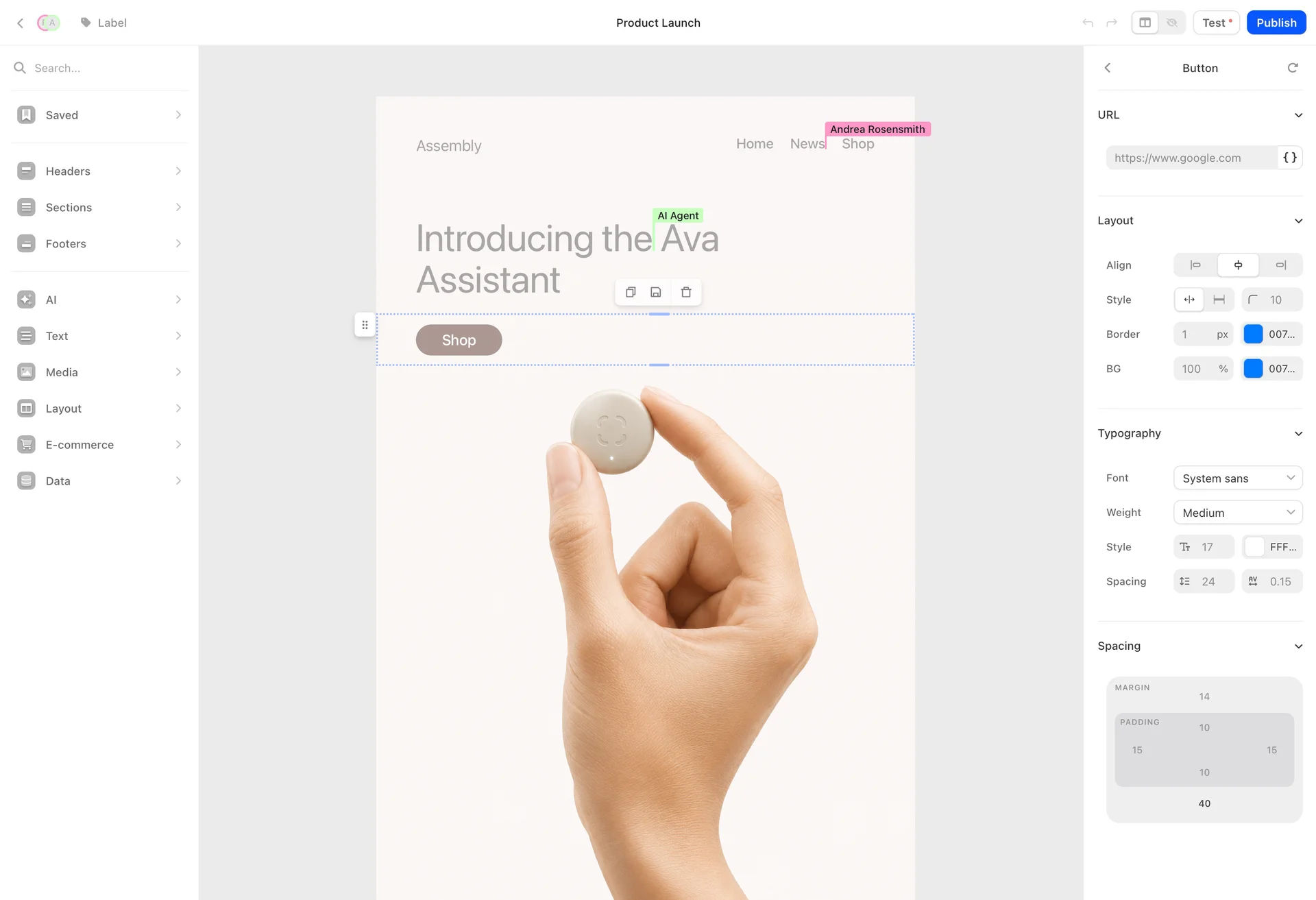
Turn blog posts into a newsletter with AI
Ask Claude or ChatGPT to turn your latest blog posts into this week's newsletter in Audienceful: it starts from last issue's layout, writes a section per post and sends you a test.
Turn my last three blog posts into this week's newsletter. Start from last week's issue, write a short intro, then a section for each post with a two-sentence summary and a Read more button. Send me a test when it's ready.
The buttons work once Audienceful is connected to your assistant. No account yet? Start free, then connect Claude, ChatGPT, Gemini or Cursor in a minute.
What your assistant does
- 1
Reads your blog posts
Claude or ChatGPT reads the posts with its own browsing. Audienceful doesn't need to.
- 2
Finds last week's issue
list_drafts - 3
Copies it as a starting point
duplicate_draft - 4
Rewrites the sections
edit_draft_blocksReplaces the old stories with the new summaries and buttons, block by block.
- 5
Sets the subject and preview text
update_draft_settings - 6
Sends you a test
send_test_email
You end up with
This week's issue drafted in your editor, in last issue's layout and theme, with a test in your inbox.




Why do this in Audienceful
Your assistant can schedule the issue once you approve it. beehiiv's and Substack's MCP servers can't send.
Every issue can publish to your web archive, so your back catalog earns search traffic.
Co-writers can edit the same draft live in the collaborative editor.
Why it works
Most newsletters repeat a format. Starting from last week's issue keeps your layout and theme, and the assistant only swaps out the stories. That's faster than starting from a blank page or a generic template.
Good to know
- The draft is yours to edit. It lands in the Audienceful editor, where you and your team can tweak it together.
- Scheduling needs your approval. If you ask the assistant to schedule it, it has to show you the recipients and timing first.
- Your issues live on the web too. Every send can be published to your newsletter archive.
Variations to try
Follow-up prompts for the same job. Each one opens in Claude.
More prompts
“Create a three-email welcome sequence for new subscribers: a warm welcome right away, our three most popular posts after two days, and a soft pitch for our paid plan after five days. Match the tone of our recent newsletters and leave it paused.”
Automations
Create a welcome sequence with AI
“How did my last five emails perform compared to my average? Which links got the most clicks, is my deliverability healthy, and how much revenue have my recent emails driven?”
Reporting and design
Analyze email campaign performance with AI
“Write a launch email for our new product from the announcement below. Use our theme: a hero with the headline, three feature highlights, and a button to the product page. Send a test to me and marketing@example.com.”
Campaigns
Write a product launch email with AI