Free email marketing templatesfor every email you send
Free email templates and marketing automation templates in one place: newsletters, promos, welcome series, abandoned carts, win-backs and more. Pick one and send.
Email templates
82 templatesDesigns for the emails you send yourself: newsletters, product launches, promos, announcements and changelogs. Responsive and tested in every major inbox.
Automation templates
33 flowsWhole flows that send themselves: welcome series, abandoned carts, trial onboarding, dunning and win-backs, with every email already written.





Templates by platform and season
Narrower collections for the stores, billing tools and moments that need their own set of emails.
Shopify email templates
Sales, product launches, gift guides and welcome offers for your store, with your catalog in any layout.
View collectionEmail templatesBlack Friday email templates
A template for every BFCM send: teaser, VIP early access, launch, reminder, Cyber Monday and last chance.
View collectionAutomationsShopify automation templates
Abandoned checkout, browse abandonment, post-purchase, review request and win-back flows, triggered by your store.
View collectionAutomationsStripe automation templates
Trial onboarding, trial ending, failed payment dunning and win-back flows for SaaS and subscriptions.
View collectionPopular email templates
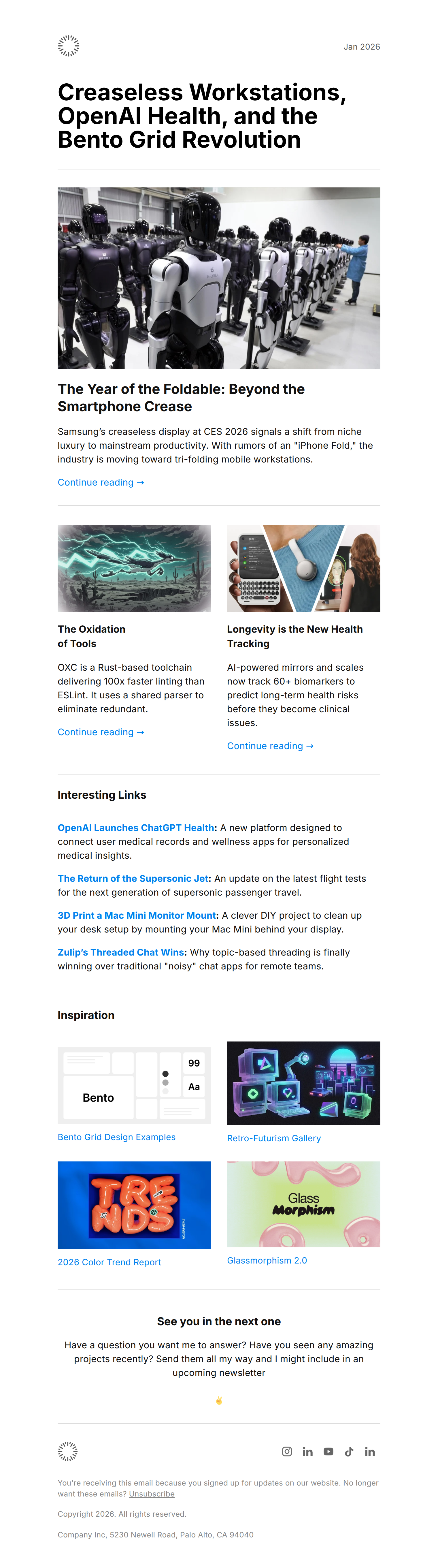
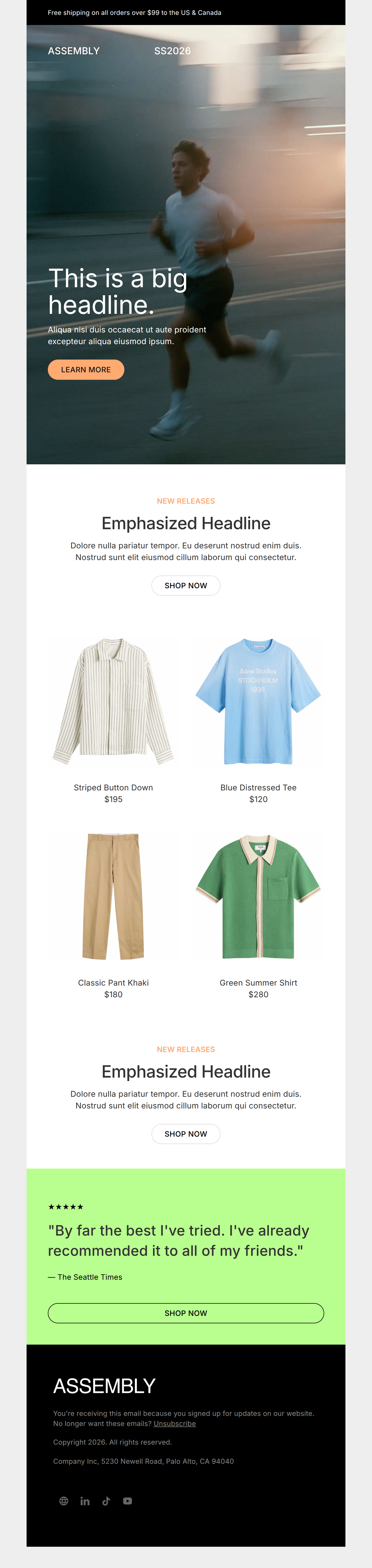
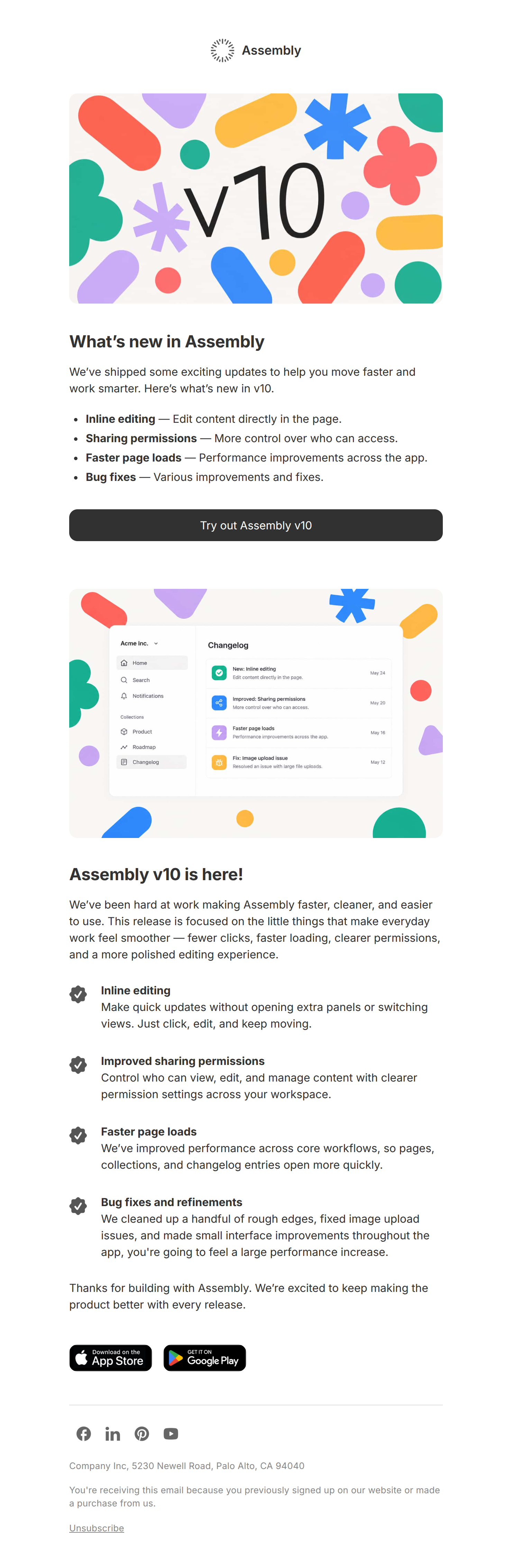
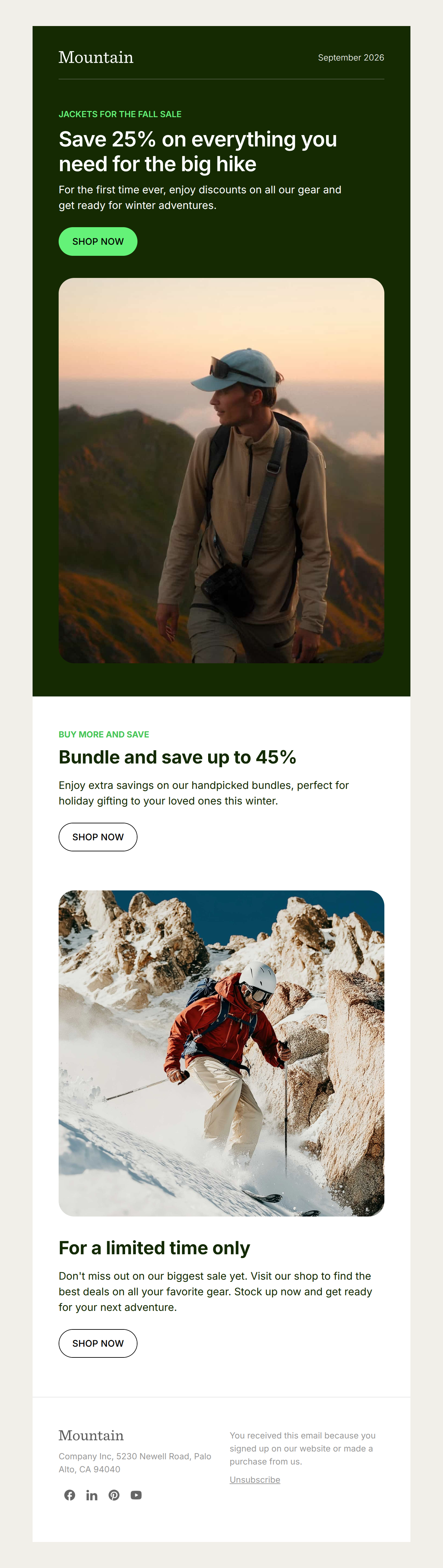
A few of the layouts people start from most. Every one opens in the editor, ready for your logo, colors and copy.
Popular automation templates
Flows that copy into your workspace whole: trigger, emails, waits and goals. They arrive paused, so nothing sends until you switch them on.
Abandoned checkout recovery
The classic money-maker. Recover shoppers who reached checkout but didn't pay — typically the single highest-revenue automation.
- Abandoned checkout
- Wait 1 hour
- You left something behind 🛒
- Wait 23 hours
- Still thinking it over? Here's 10% off
- 3 more steps
- Completed the purchase
Added to cart, never checked out
Catch the in-between: items added to cart but no checkout started. Shows off conditional branching.
- Added to cart
- Wait 2 hours
- Your cart's waiting ⏳
- Add tag cart-no-checkout
- Wait 1 day
- 2 more steps
Birthday gift
Send a birthday treat on the day, every year — automatically, from a Birthday date field.
- Date reached
- Happy birthday 🎂 a little gift from Company
- Add tag birthday-club
Browse abandonment
Re-engage shoppers who viewed a product but never added it to cart. Captures intent earlier than checkout abandonment.
- Product viewed
- Wait 4 hours
- Still thinking about what you saw?
- Wait 1 day
- Here's what other customers think
- 1 more step
Cancelled subscription win-back
Give churned subscribers a reason — and an offer — to come back.
- Subscription canceled
- Wait 3 days
- Sorry to see you go — here's 30% to come back
- Wait 1 week
- Look what's new since you left
- 1 more step
Confirm your subscription
Ask new subscribers to confirm, then welcome the ones who do — a cleaner list and better deliverability from day one.
- Person subscribes
- Please confirm your subscription ✅
- Wait 3 days
- You're in — welcome to Company 👋
- Add tag confirmed
Email template or automation template?
Most email marketing is one of two things: emails you decide to send, and emails a subscriber's actions should send for you. Each has its own kind of template.
Use an email template for campaigns
A newsletter issue, a sale, a launch, a product update: one email, sent to a list when you choose. Start from the email template gallery.
Use an automation template for flows
A welcome series, an abandoned cart reminder, a failed payment notice: a sequence that starts when someone signs up, buys or lapses. Start from the automation template gallery, or read how marketing automation works in Audienceful.
More ways to get started
Not ready to pick a template? These help you decide what to send and how.
AI email marketing prompts
Copy-paste prompts that have Claude or ChatGPT build the audience, the automation and the send.
Email design inspiration
Real emails from brands worth learning from, for when you want ideas before you pick a layout.
The email template editor
How the editor works: brand themes, reusable blocks and real-time collaboration on every template.
Common questions
What's the difference between an email template and an automation template?
An email template is the design and copy for a single email you send yourself, like a newsletter or a sale announcement. An automation template is a whole flow: a trigger, a sequence of emails with waits between them, and any branches, which runs on its own when someone does something, like abandoning a checkout or starting a trial.
Are all of these templates free?
Yes. Every email template and automation template is included on every Audienceful plan, the free plan included. There's no marketplace and no per-template charge.
Do I need to know HTML or how to code?
No. Email templates open in a visual editor where you type, drag in images and restyle colors and fonts. Automation templates arrive with every email already written, and you edit them the same way.
Which template should I start with?
If you have a one-off message to send, start with an email template. If the same email should go to everyone who signs up, buys or lapses, start with an automation template so it sends itself. Most businesses end up with a welcome series and an abandoned cart flow first.
Can I use an email template inside an automation?
Yes. Any email template can be the starting point for an email inside a flow, so your campaigns and automated emails share one look.
Do the templates work with Shopify and Stripe?
Yes. The Shopify and Stripe automation templates come with their store or billing trigger already set, and Shopify email templates can pull products straight from your catalog.
