How to add Email Signup Forms to Google Sites
In this guide we'll show you how to add an email signup form to a Google Sites page using Audienceful, so you can collect subscribers and start sending newsletters.
Google Sites has no native form that sends data to outside tools, so you'll embed an Audienceful form using the built-in Embed Code tool. You can do single-field email collection or build multi-field lead capture forms with fields like First Name, Company, or Job Title.
Create a form in Audienceful
If you don't have one already, create a free Audienceful account here.
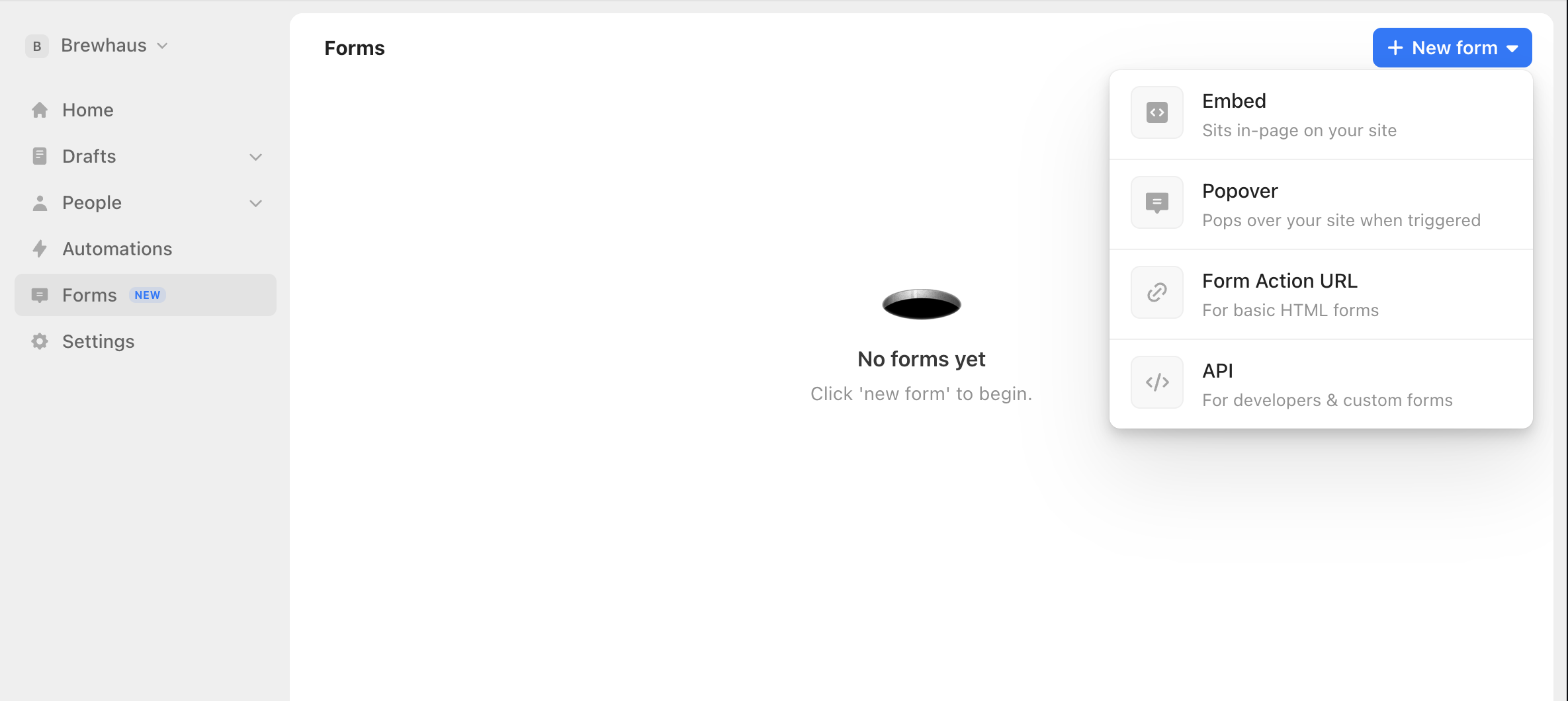
Go to the Forms tab, select "New", and choose Embed. Pick a template, then customize the fields, design, and post-signup behavior. Our Embed forms come with enterprise-grade bot protection and conversion tracking built in.
Copy your form's embed code
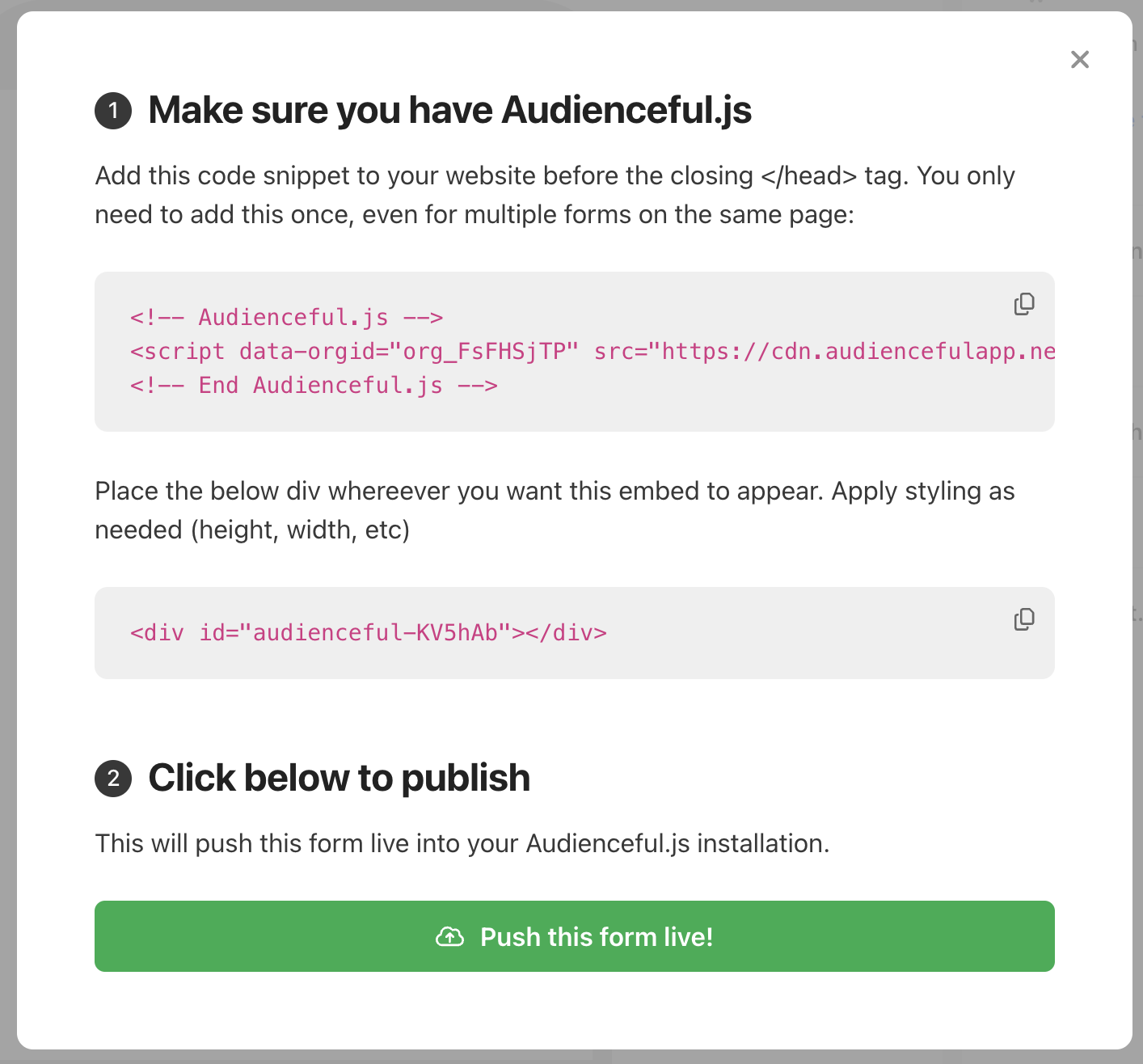
When your form is ready, click Publish in the bottom right. Audienceful will show you the install snippet for Audienceful.js along with your form's embed code. Copy the code provided.
Embed the code in Google Sites
Open your site in the Google Sites editor. In the Insert panel on the right, click Embed, then select the Embed code tab. Paste your Audienceful embed code into the box and click Next, then Insert.
Drag and resize the embed block on your page so the whole form is visible.
Note: Google Sites renders embedded code inside an iframe. The form works normally, but if you set your form to redirect to a "thank you" page after signup, that redirect happens within the embedded area. Using Audienceful's inline success message is the smoothest experience here.
Publish and test
Click Publish in the top right, then open the live page. Submit a test signup and confirm the new contact appears in Audienceful (validations mean it can take a few seconds).
That's it — your Google Sites page is now sending signups to Audienceful.
If you're looking for more advanced forms like triggered Popovers or Pop-ups, check out all of our guides for setting up various form types.
Need help?
If you're having trouble adding forms to your Google Sites page, email support@audienceful.com and we'll get you set up!