How to add Email Signup Forms to GoDaddy Websites
In this guide we'll show you how to add an email signup form to a GoDaddy Websites + Marketing site using Audienceful, so you can collect subscribers and start sending newsletters.
GoDaddy's built-in contact form emails submissions to you rather than syncing them to an email tool, so to build your list in Audienceful you'll embed an Audienceful form using an HTML section. You can do single-field email collection or build multi-field lead capture forms with fields like First Name, Company, or Job Title.
Create a form in Audienceful
If you don't have one already, create a free Audienceful account here.
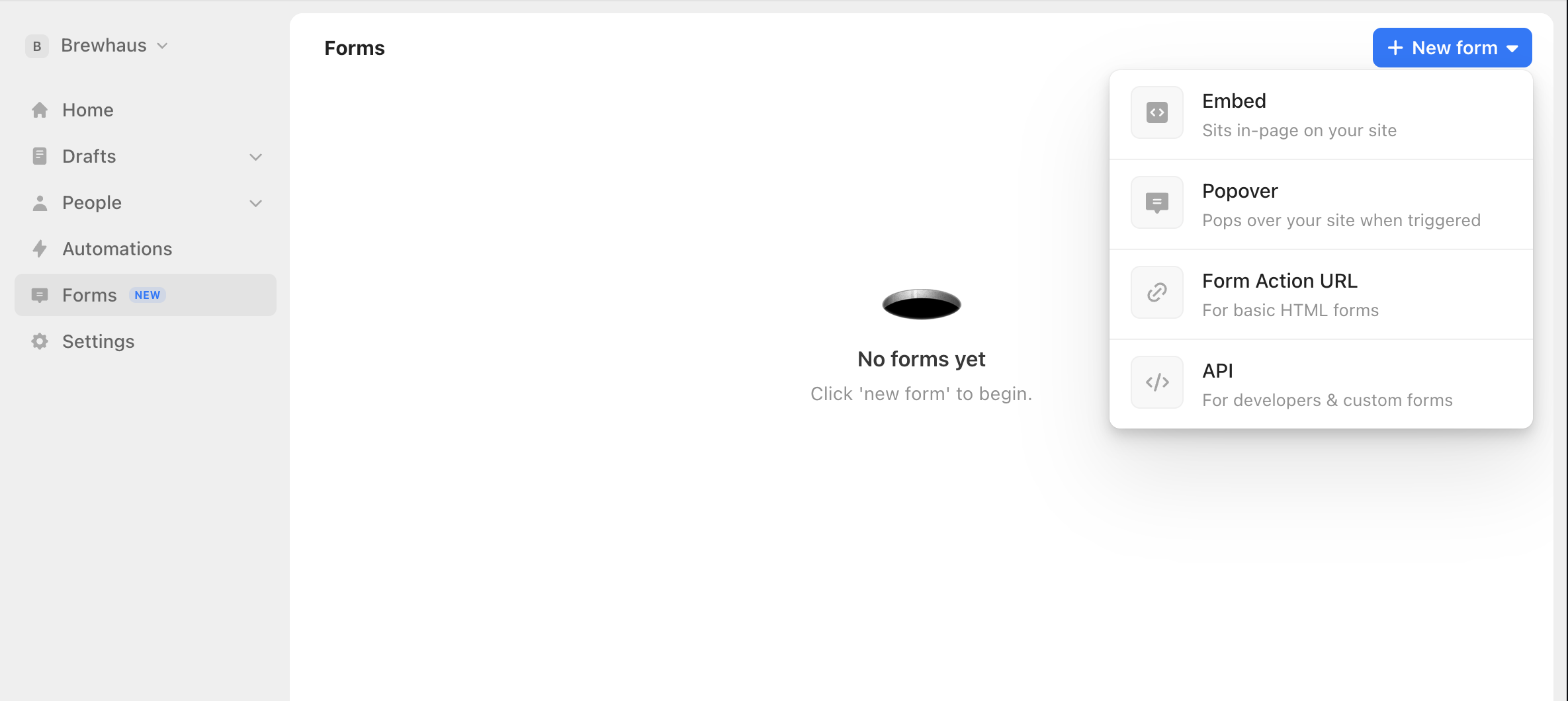
Go to the Forms tab, select "New", and choose Embed. Pick a template, then customize the fields, design, and post-signup behavior. Our Embed forms come with enterprise-grade bot protection and conversion tracking built in.
Copy your form's embed code
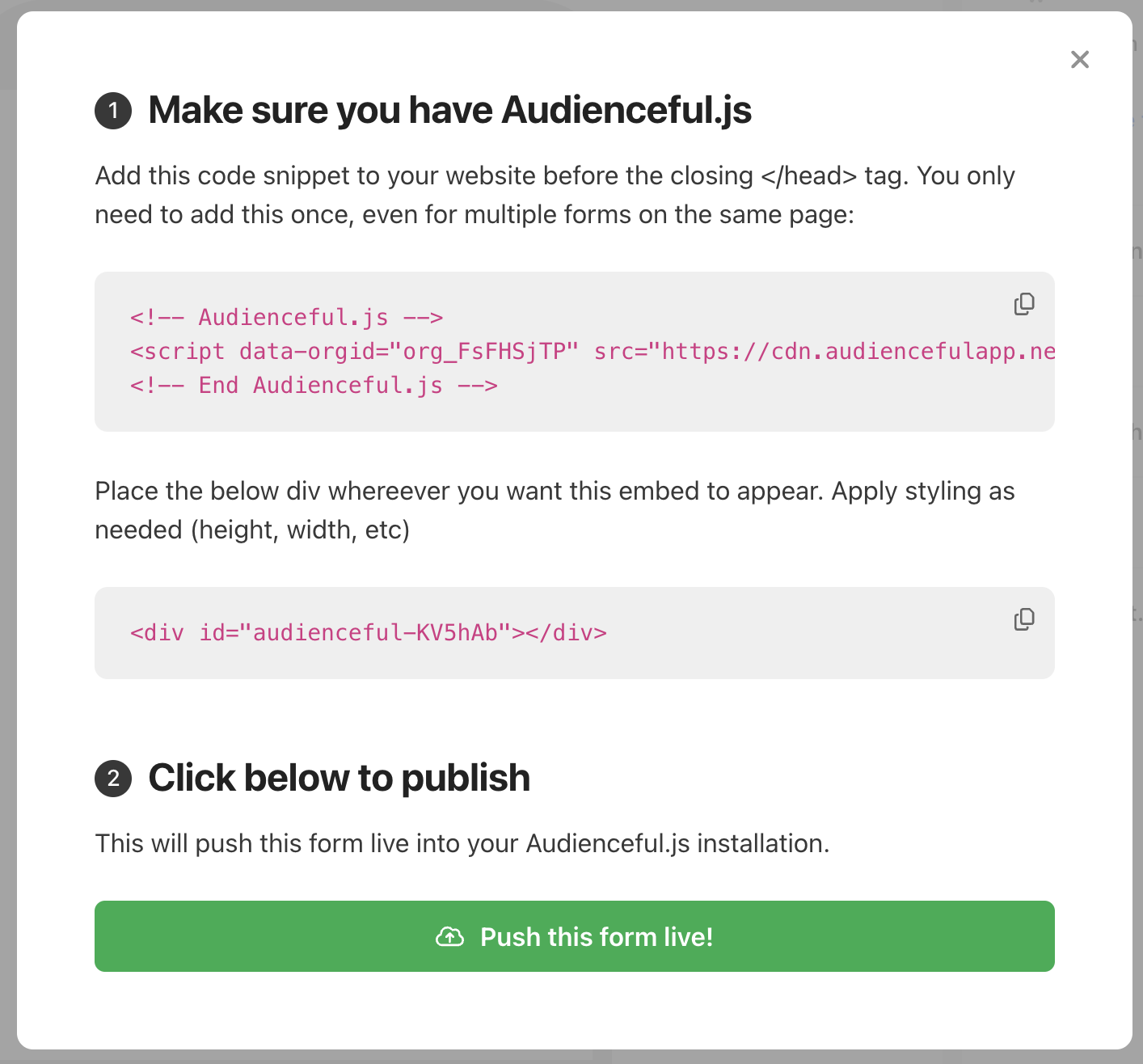
When your form is ready, click Publish in the bottom right. Audienceful will show you the install snippet for Audienceful.js along with your form's embed code. Copy the code provided.
Add an HTML section in GoDaddy
From your GoDaddy account, open Websites + Marketing and click Edit Website / Edit Site. Go to the page and spot where you want the form, then click Add Section.
In the section list, search for or select HTML, then click Add. Paste your Audienceful embed code into the HTML field (Websites + Marketing HTML sections support HTML, CSS, and JavaScript).
Publish and test
Click Publish to push your changes live, then open the live page. Submit a test signup and confirm the new contact appears in Audienceful (validations mean it can take a few seconds).
That's it — your GoDaddy site is now sending signups to Audienceful.
If you're looking for more advanced forms like triggered Popovers or Pop-ups, check out all of our guides for setting up various form types.
Need help?
If you're having trouble adding forms to your GoDaddy site, email support@audienceful.com and we'll get you set up!