How to add Email Signup Forms to WordPress Sites and Blogs
In this guide we'll show you how to add an email signup form to any WordPress site or blog using Audienceful, so you can turn readers into subscribers and start sending newsletters.
WordPress doesn't send its built-in comment or contact forms to outside tools, so the reliable way to collect subscribers is to paste an Audienceful form into a Custom HTML block. You can do single-field email collection, or build multi-field lead capture forms with fields like First Name, Company, or Job Title.
Create a form in Audienceful
If you don't have one already, create a free Audienceful account here.
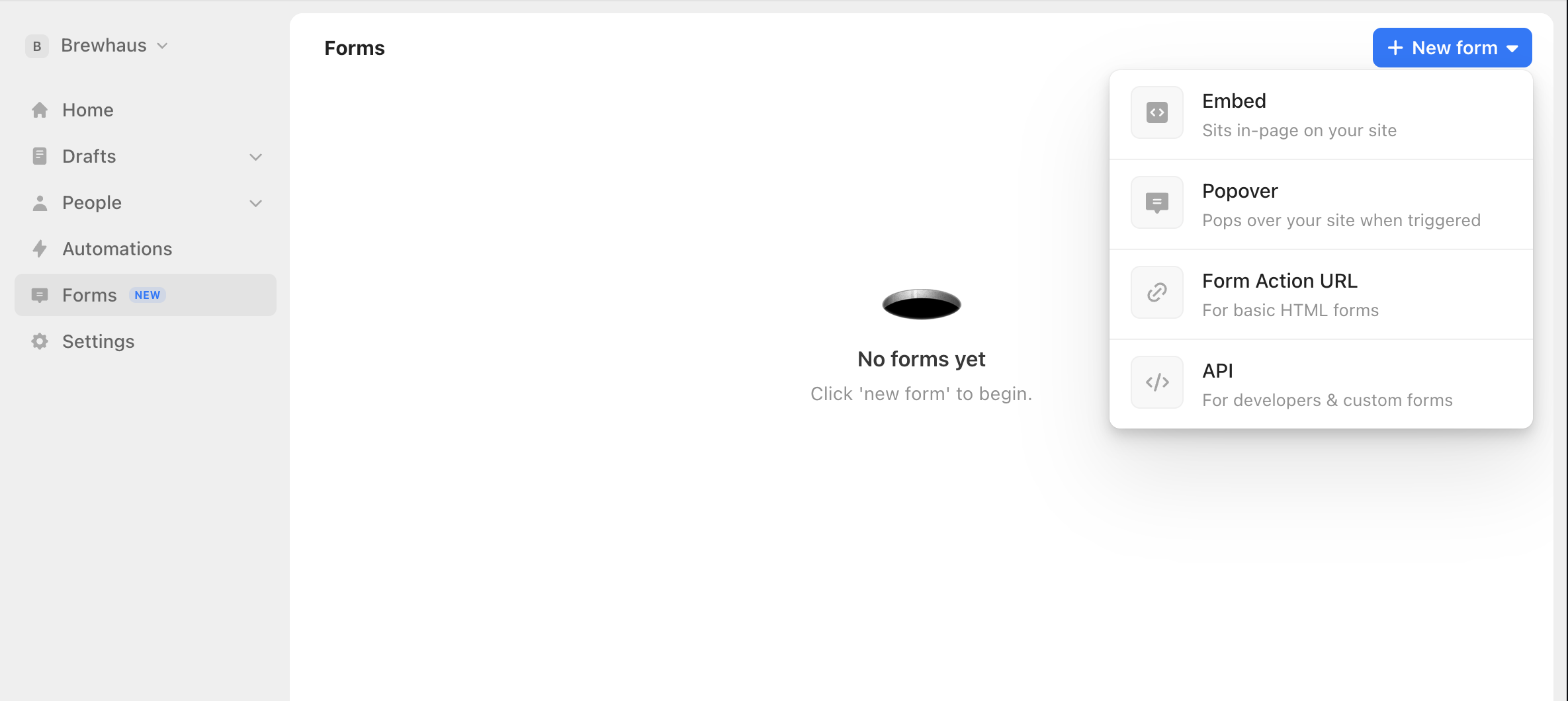
Go to the Forms tab, select "New", and choose Embed. Pick a template, then customize the fields, design, and post-signup behavior. Our Embed forms come with enterprise-grade bot protection and conversion tracking built in.
Copy your form's embed code
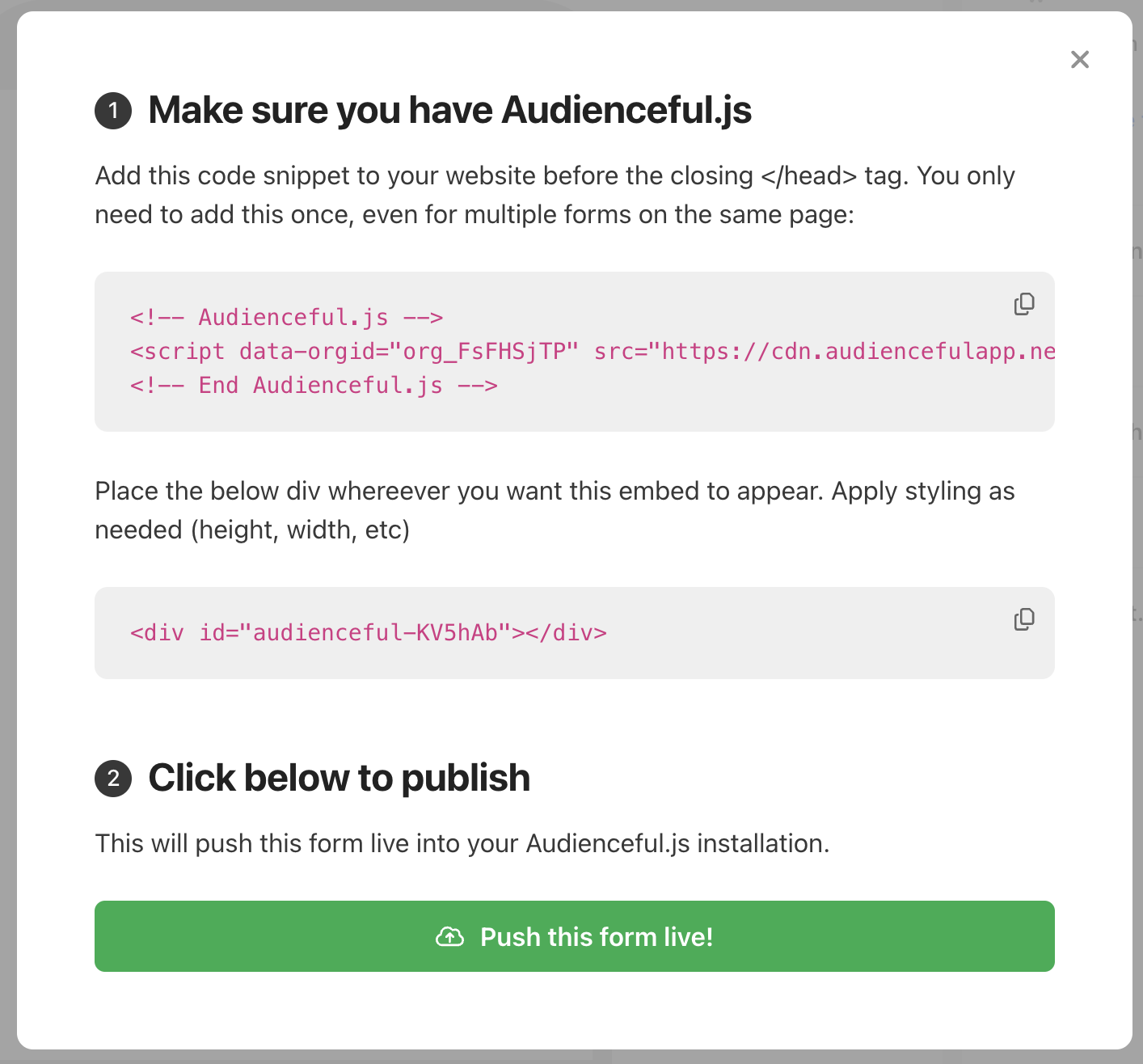
When your form is ready, click Publish in the bottom right. Audienceful will show you the install snippet for Audienceful.js (the small script that submits data to our servers and tracks conversions) along with your form's embed code. Copy the code provided.
Add a Custom HTML block in WordPress
In the WordPress editor, open the page or post where you want the form. Click the + button to add a block, search for Custom HTML, and select it. Paste your Audienceful embed code into the block.
Update or publish the page, then use Preview to confirm the form renders. Custom HTML blocks often look empty inside the editor. The form only appears on the live page or in preview.
Test your form
Submit a test signup and check that the new contact appears in Audienceful (validations mean it can take a few seconds to show up). That's it: your WordPress site is now building your email list.
A note on WordPress.com plans
Self-hosted WordPress (from WordPress.org) runs the embed code as-is. Some WordPress.com plans strip JavaScript out of the Custom HTML block, which prevents Audienceful.js from loading. If your form doesn't appear on a WordPress.com site, you have two options:
- Upgrade to a WordPress.com plan that allows custom code (Business or higher), or
- Use our HTML form method instead. It's plain HTML with no JavaScript, so it works in the Custom HTML block on any plan. Because it has lighter bot protection, we recommend pairing it with a CAPTCHA or Cloudflare.
If you'd rather use a plugin, most form plugins (WPForms, Elementor, etc.) let you point a form's action at your Audienceful Form Action URL as well.
If you're looking for more advanced forms like triggered Popovers or Pop-ups, check out all of our guides for setting up various form types.
Need help?
If you're having trouble adding forms to your WordPress site, email support@audienceful.com and we'll get you set up!