Our Brevo review in one line: Brevo (formerly Sendinblue) is cheap to start and a strong pick for businesses that send a few campaigns a month and also need transactional email, but its price follows how often you send, and the jump from Standard at $18 to Professional at $499 is steep. Stores that need deep Shopify flows should check exactly which plan their must-have features sit on. If that's you, Audienceful runs Shopify and Stripe flows on every paid plan, covered near the end.
We make Audienceful, a competitor. This review uses Brevo's pricing page, help center and Shopify documentation, checked 14 November 2026. We did not run a paid Brevo account for this review, and we say where a finding comes from a third party.
Brevo review: the verdict
| Our score | 3.7 out of 5 |
| Best for | Large lists that send rarely, and teams that want marketing and transactional email on one bill |
| Weaker for | Frequent senders, and stores that need advanced flows without the Professional plan |
| Free plan | 300 emails a day |
| Paid plans | Starter from $9, Standard from $18, Professional from $499 a month |
| Biggest strength | Transactional email API and SMTP included alongside marketing |
| Biggest catch | Price scales with sends, and the top features jump to $499 |
How we scored it: pricing and value 25% (4/5), automations 20% (3.5/5), ecommerce data 20% (3/5), transactional and API 15% (4.5/5), ease of use 10% (4/5), support 10% (3.5/5). Weighted total 3.7.
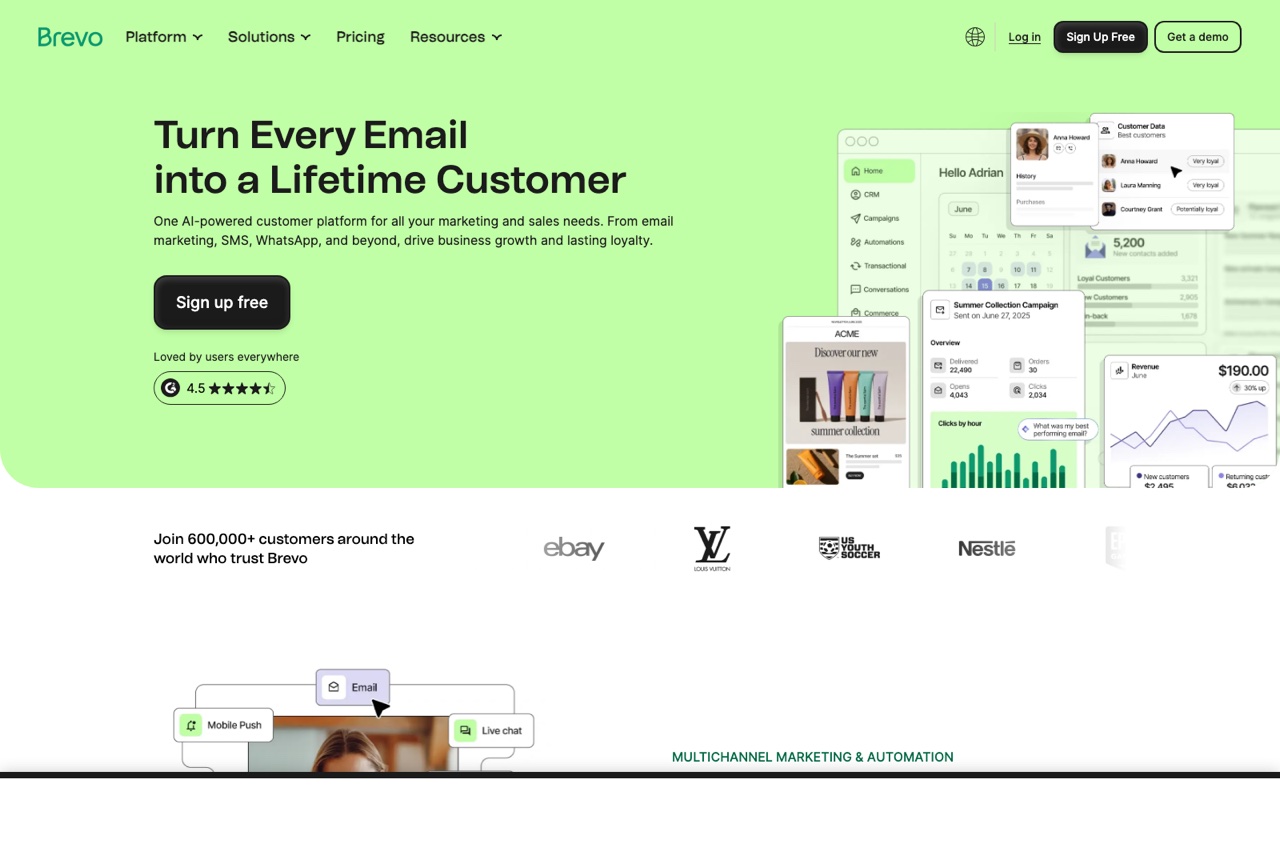
Brevo's website, from our competitor screenshot library. Not an in-app screen.
How Brevo pricing works
This is where every Brevo review gets muddled, so here it is plainly.
Brevo prices its marketing plans mainly on emails sent per month, not on contacts. You pick a monthly volume on the pricing page, and the plan price rises with that volume. On 14 November 2026 Brevo's published USD prices were:
| Plan | Starting price | Starting volume | Billed yearly |
|---|---|---|---|
| Free | $0 | 300 emails a day | n/a |
| Starter | $9 a month | 5,000 emails a month | $97 a year |
| Standard | $18 a month | 5,000 emails a month | $194 a year |
| Professional | $499 a month | 150,000 emails a month | $5,389 a year |
| Enterprise | Custom | From 1 million emails a month | Custom |
Two caveats. First, Brevo changed its pricing in October 2025, and the new plans also carry contact limits at the entry tiers. Our post on Brevo's legacy plan price increase explains who that hits. Second, older accounts on legacy plans are being moved to the new prices, so a review quoting 2024 numbers is out of date.
Sends versus contacts: what you'll actually buy
Because the bill follows sends, the useful number is your list size times your campaigns a month, plus flow emails.
| Contacts | 4 campaigns a month | 8 campaigns a month |
|---|---|---|
| 5,000 | 20,000 sends | 40,000 sends |
| 10,000 | 40,000 sends | 80,000 sends |
| 50,000 | 200,000 sends | 400,000 sends |
Enter that monthly volume into Brevo's selector to get your price. For reference, Omnisend's Brevo review recorded Standard at $69 a month for 20,000 sends on 10 September 2026. That's a competitor's number, and Brevo's selector is the one to trust.
The pattern is simple. A 50,000-contact list mailed once a month is cheap on Brevo. A 10,000-contact list mailed twice a week costs more than you'd guess from the $18 starting price.
Setup and the editor
Brevo's drag-and-drop editor is straightforward, with a decent template library and saved blocks. It also has a rich-text option and an HTML editor for teams that code their own emails. Most people can send a first campaign within an hour of signing up.
Brevo bundles a lot around email: SMS, WhatsApp, a live chat widget, a sales CRM with deals and meetings. Whether that bundle is a plus depends on whether you'll use it. If you only need email, you're paying for a product shaped around more channels.
Shopify integration: what changed
Shopify stores should read this before anything else. The original Brevo Shopify app now shows as "not currently available" on the Shopify App Store, checked 14 November 2026. Brevo's help center points Shopify merchants to the Brevo PushOwl app instead, and existing Brevo users have a migration guide to move across.
According to Brevo's documentation, the PushOwl app syncs customers, products and orders. That data supports abandoned cart and post-purchase automations and back-in-stock alerts. Brevo recommends connecting one Shopify store to one Brevo account.
What we'd test on a dev store before committing:
- Whether every checkout abandoner enters the abandoned cart automation, or only identified visitors.
- Whether product views and add-to-carts are tracked without extra theme code.
- Whether revenue per automation matches Shopify's order totals.
- Which plan your popups and multi-branch automations need.
Omnisend's week-long test reported that pop-ups sat on Professional, browse abandonment needed a separate tracker and Standard capped automation branches. Those are a competitor's findings from September 2026, and the Shopify app has since changed, so verify each one yourself.
Automations
Brevo's automation builder has templates for welcome messages, abandoned carts, product purchases, anniversary dates and custom events sent through its tracker or API. The builder is visual and conditions are easy to add. Starter includes basic marketing automation, and the more advanced options sit on Standard and Professional. Check the plan comparison for the automation limits on the plan you're pricing.
For SaaS teams, custom events through the API are the useful part: you can send trial_started or invoice_failed and trigger a workflow on it. That takes developer work. There's no native billing integration that hands you those events.
Segmentation and forms
Segments filter on contact attributes, list membership, email engagement and ecommerce data once a store is connected. Forms come as embedded and subscription forms on every plan. Check which plan includes pop-ups before you plan a welcome offer around one.
Revenue reporting and attribution
Campaign reports show opens, clicks, unsubscribes and, with a connected store, revenue. How far attribution goes depends on the plan, and the detailed revenue views are on the higher tiers. If revenue per flow is how you'll judge email, confirm the attribution model on the plan you're buying.
Deliverability
Brevo sends from shared IP pools by default and sells dedicated IPs as an add-on on higher plans. It supports SPF, DKIM and DMARC through domain authentication, and Gmail and Yahoo's bulk-sender rules apply just as they do anywhere else. We haven't run our own placement test.
On a shared pool, your placement depends partly on the other senders. A low-cost, send-based plan attracts plenty of small senders, which is one reason to authenticate your domain properly and keep your list clean. Our deliverability checklist applies here.
Transactional email: a real strength
This is where Brevo earns its place. Every account gets an SMTP relay and a transactional API, with webhooks for delivered, bounced and opened events. A small SaaS or ecommerce team can send password resets, receipts and newsletters from one vendor and one bill. Few marketing-first tools do this as well at Brevo's price.
Support
Support varies by plan, with faster channels on paid tiers and a dedicated account manager at the top. Check the pricing page for what your plan includes.
Pros and cons
Pros
- Low starting prices on Starter and Standard
- Send-based model favors large lists that mail rarely
- Transactional API and SMTP included
- Many channels in one account if you need them
- Straightforward editor
Cons
- Frequent sending gets expensive quickly
- Big jump from Standard at $18 to Professional at $499
- Shopify app changed in 2026, so older reviews describe a different integration
- Advanced automation and reporting sit on higher plans
- Contact limits on entry tiers since the October 2025 pricing change
Alternatives to Brevo
| Tool | Best for | Ecommerce integration | Automation depth | One honest drawback |
|---|---|---|---|---|
| Audienceful | Stores and SaaS teams that want flows on native Shopify or Stripe data | Native Shopify app, native Stripe | Branching flows with custom events on every paid plan | Newer brand than the others |
| MailerLite | Newsletters and small businesses | Shopify, WooCommerce | 50 automations on Comfort | Store triggers only for recognized shoppers |
| Klaviyo | Large Shopify brands | Deep Shopify sync | Very deep | $150 a month at 10,000 profiles |
| Mailchimp | Brand familiarity and many integrations | Official Shopify app | Up to 200 flows on Standard | Unsubscribed contacts count toward the bill |
Audienceful (disclosure: our product) is built for the reader who likes Brevo's simplicity but needs store or product data to drive email. Every paid plan gets branching automations with custom events. The native Shopify app syncs customers, orders, products, checkouts and carts, and the Shopify flow library has ready-made welcome, browse abandonment, cart, checkout, post-purchase, replenishment, VIP and win-back flows. Revenue attribution reports per email and per flow. Signup forms and popups with targeting are included. SaaS teams get native Stripe lifecycle flows for trials and failed payments, and Audienceful also sends transactional email, so you keep the one-vendor setup. The AI agent builds segments and flows from a brief, and outside agents get full MCP access.
Deliverability is handled with manual sender approval, dynamic batching, smart retry, gradual sending, spam testing and a deliverability monitoring suite. Dedicated IPs are available on Growth for very high volume.
See Audienceful vs Brevo for a side-by-side. If you've decided, our Brevo migration guide explains how to export both of Brevo's blocklists, and the migration help doc covers the import. Leaning toward Klaviyo instead? Read Brevo to Klaviyo.
FAQs
Is Brevo good for email marketing?
Yes for businesses that send a few campaigns a month to a large list, or that need transactional and marketing email from one vendor. It's a weaker fit for stores that need advanced Shopify flows on a lower plan.
Is Brevo really free?
The Free plan lets you send 300 emails a day, about 9,000 a month, checked 14 November 2026. It carries Brevo branding and fewer features. It's enough to test the product, not to run a store's email program.
How does Brevo pricing work?
Mainly by monthly email volume. Starter starts at $9 and Standard at $18 a month for 5,000 emails, and Professional at $499 for 150,000. Each price rises with the volume you choose. Since October 2025 entry tiers also have contact limits.
Is Brevo the same as Sendinblue?
Yes. Sendinblue renamed itself Brevo in 2023. Old "Sendinblue review" articles describe the same company, usually with outdated prices.
Does Brevo work with Shopify?
Yes, through the Brevo PushOwl app. The original Brevo Shopify app is no longer available on the Shopify App Store, and Brevo has a guide for moving existing users across.
Is Brevo's deliverability good?
Brevo provides domain authentication and dedicated IPs as an add-on. Shared pools mean your placement depends partly on other senders, so authenticate your domain and keep your list clean.
Is Brevo better than Mailchimp?
For infrequent senders with large lists, Brevo is usually cheaper, because Mailchimp bills on contacts and counts unsubscribed contacts. Mailchimp has more integrations and a more polished Shopify app. Our Mailchimp review covers it in detail, and Mailchimp vs Brevo puts the two side by side.
Need Shopify flows and popups without a $499 plan? Try Audienceful's Growth plan free for 14 days and connect your store in a few minutes.
