No email marketing software has the best deliverability for everyone, because most of what decides inbox placement is your domain, your list and your sending habits. What the platform controls is a short list of features: custom domain authentication, how it manages shared sending pools, bounce and complaint handling, list verification, pre-send spam testing, throttling, and a dedicated IP when your volume justifies one. Audienceful builds all of those in, and the seven other platforms below cover them to different degrees. Compare those features, then run your own placement test during a trial instead of trusting a vendor's percentage.
We make Audienceful and list it first. Vendor facts and prices were checked on 14 November 2026 against each vendor's own pages, or taken from our dated pricing guides where noted. Screenshots come from our competitor library and show each vendor's website, not its deliverability settings.
Email marketing software with the best deliverability: Best for use case
| Platform | Best for use case | Deliverability feature to check first |
|---|---|---|
| Audienceful | Shopify and Stripe senders who want deliverability handled by the platform | Custom domain setup and pre-send spam test |
| Klaviyo | Ecommerce teams already deep in its data model | Branded sending domain and dedicated IP eligibility |
| Mailchimp | General campaigns for small and mid-size lists | Domain authentication and shared IP terms |
| ActiveCampaign | Email tied to a sales pipeline | Dedicated IP minimums |
| Omnisend | Store email and SMS on one bill | Which plan includes the custom domain signature |
| MailerLite | Newsletters and simple automations | Which plan includes deliverability support |
| Brevo | Volume-priced marketing plus transactional email | How send-based pricing fits your schedule |
| Postmark | Transactional mail that must arrive fast | Separate streams for marketing and receipts |
Why "99% deliverability" claims mislead
Vendor listicles love a big percentage. It is almost always a delivery rate: the share of messages the receiving server accepted. Accepted mail can still land in spam. Inbox placement is the share that reached the primary inbox or a tab, and only the mailbox provider truly knows that number.
| Term | What it measures | Who can see it |
|---|---|---|
| Delivery rate | Messages accepted, not bounced | Your ESP |
| Inbox placement | Messages that reached the inbox instead of spam | Mailbox providers; estimated by seed tests |
| Spam complaint rate | Recipients who clicked "report spam" | Google Postmaster Tools, feedback loops |
| Bounce rate | Messages rejected, hard or soft | Your ESP |
A platform claiming 99% deliverability is telling you that 1% bounced. It says nothing about the spam folder. Ask any vendor how it defines the figure and which mailbox providers it covers. If it can't answer, ignore the number.
What the platform controls and what you control
Switching tools rarely fixes a problem you brought with you. Our guide to whether changing email provider improves deliverability goes through it in detail, but the split looks like this.
| Factor | Platform controls | You control |
|---|---|---|
| Domain authentication | Supports custom domains, signs with DKIM | Adds the DNS records, publishes DMARC |
| Shared IP reputation | Vets senders, removes bad actors | Picks a platform that does |
| Dedicated IP | Offers one at high volume | Has steady enough volume to use it |
| Bounces and complaints | Suppresses them automatically | Stops sending to old or bought lists |
| List quality | Verifies addresses, blocks bots | Collects real opt-ins |
| Engagement | Gives you segments and reports | Sends to people who still open and click |
| Volume and pacing | Throttles by provider, retries deferrals | Ramps up before big sends |
| Content | Runs spam tests, renders plain text | Writes mail people want |
The right-hand column comes with you to any platform, so "which ESP is best" is the wrong first question if you already have a spam problem. Diagnose it with our email deliverability issues guide first.
The deliverability features to compare
These are the features worth asking every vendor about. They come from the Gmail, Yahoo and Microsoft bulk-sender rules and from what receiving servers measure.
- Custom sending domain with aligned DKIM. The platform has to sign with your domain, not its own. Check your records with our free DKIM and SPF checker.
- Shared pool management. Ask how the vendor vets new senders and how fast it removes abusive ones. Our shared IP reputation guide lists the questions.
- Dedicated IP option. Useful only with high, steady volume. See dedicated IP vs shared IP for the volume thresholds.
- Automatic suppression. Hard bounces, complaints and unsubscribes should be suppressed without a manual step. Our hard bounce vs soft bounce post explains the difference.
- List verification on import. Typos, dead domains and role addresses should be caught before the first send.
- Pre-send spam testing. A check on authentication, links and content before you press send.
- Engagement segments. You need to define "opened or clicked in the last 90 days" and send to that first.
- One-click unsubscribe. Required for bulk senders; Yahoo's best practices ask that unsubscribes be honored within two days.
- Per-provider throttling and retry. Big sends should be paced so one provider doesn't start deferring, and deferred mail should be retried.
Email marketing platforms compared on deliverability
Each entry below uses the same five fields. Prices are at 10,000 contacts on the vendor's live pricing page or our dated guides. For a comparison beyond deliverability, see our pick of the best email marketing platforms overall.
Audienceful: deliverability handled by the platform
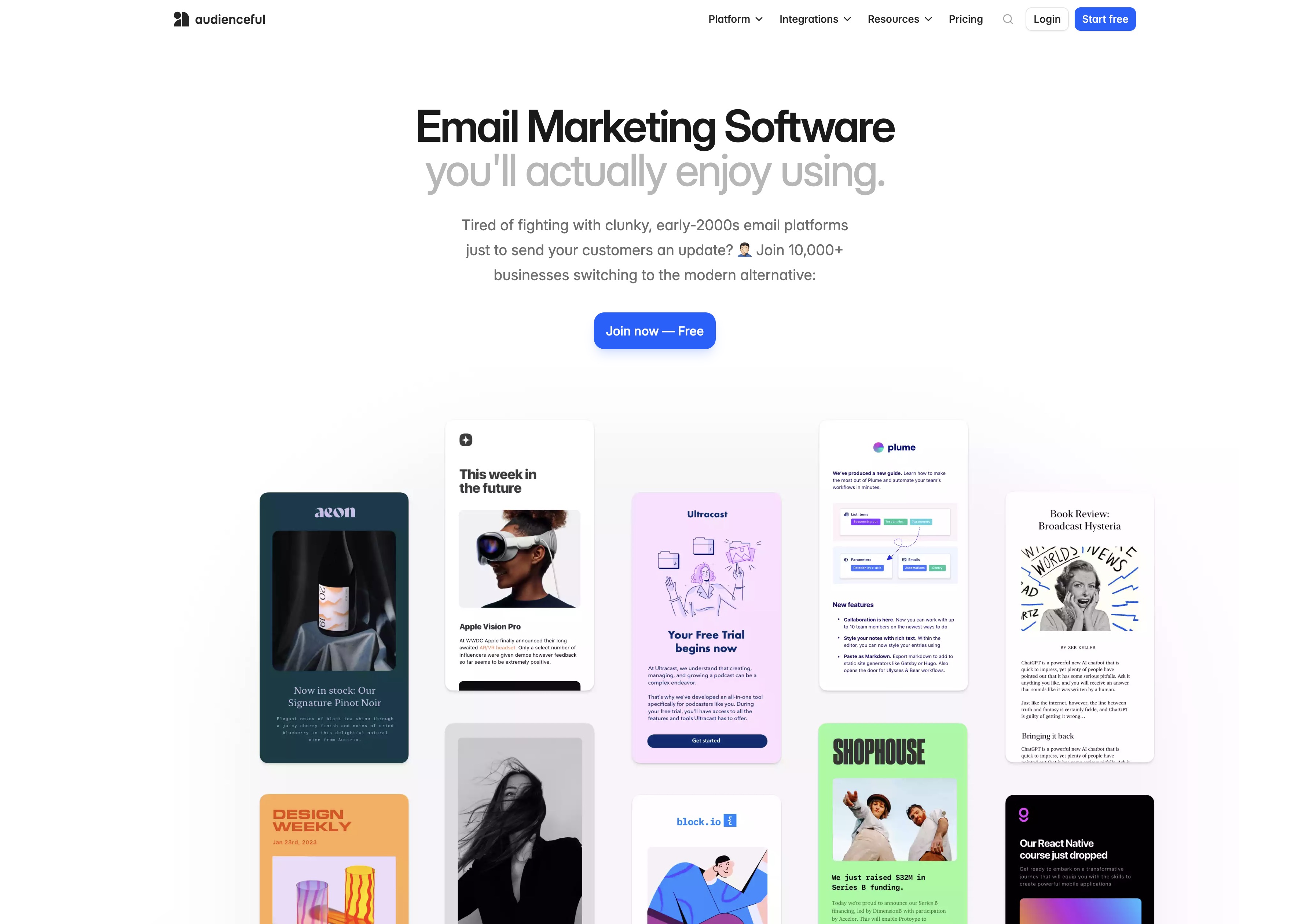
Audienceful treats deliverability as part of the product. You connect a custom sending domain with step-by-step DNS guides for every major registrar, and DNS health is checked continuously after that. Every campaign can go through a spam test before it sends. Imports run address verification, so typos and dead domains are caught before they bounce.
On the sending side, we approve new senders manually, which keeps the shared pool clean. Sends use dynamic batching, smart retry for deferred mail and gradual sending for large lists. Growth customers at very high volume can get a dedicated IP. Hard bounces are suppressed automatically and inactive contacts are flagged, so sunsetting is a segment, not a spreadsheet.
The rest of the platform matters too, because engaged subscribers are the best deliverability signal there is. Automations run on native Shopify and Stripe data, so a replenishment or win-back flow reaches the right customer instead of the whole list. Revenue attribution shows which flows earn money. The AI agent and the MCP server cover campaigns, segments, flows and newsletters, and can build an engaged-only segment from one sentence. The collaborative editor and agency-designed templates keep the mail itself clean.
- Best for: ecommerce and SaaS senders who want authentication, verification, spam testing and throttling built in.
- Starting price at 10K contacts: Essentials is $79/month billed yearly or $99 monthly with three flows. Growth is $118/month billed yearly with unlimited automations. See pricing.
- Ecommerce integrations: native Shopify and Stripe, plus WooCommerce and BigCommerce integrations.
- Automation depth: branching flows on order, product and subscription data, with ready-made Shopify automations.
- One honest drawback: a new account still has to warm up its domain like anywhere else; our list warming guide sets the pace.
Klaviyo: established ecommerce platform with shared pools by default
Klaviyo assigns most new accounts to shared IPs and says it monitors that pool and removes harmful senders. Dedicated IPs go only to qualifying accounts through a Customer Success Manager, with a warm-up of about 30 to 40 days. A branded sending domain is a separate setup and worth doing on day one.
- Best for: ecommerce teams already invested in Klaviyo's data model.
- Starting price at 10K contacts: $150/month on Email (pricing).
- Ecommerce integrations: deep Shopify integration plus many store platforms.
- Automation depth: event-triggered flows, Smart Sending and predictive segments.
- One honest drawback: the bill follows active profiles, so keeping unengaged people around for deliverability reasons still costs money.
If you're on Klaviyo now and seeing spam placement, read Klaviyo emails going to spam and Klaviyo deliverability issues before switching. The platform comparison is at Audienceful vs Klaviyo.
Mailchimp: shared IPs for general campaigns
Mailchimp's dedicated IP page says campaigns send from shared IPs by default and describes a dedicated IP as an add-on for large senders. Authenticating your own domain is still the first thing to set up.
- Best for: small and mid-size teams sending regular campaigns.
- Starting price at 10K contacts: $135/month on Standard (pricing).
- Ecommerce integrations: Shopify, WooCommerce and other store integrations.
- Automation depth: customer journeys on Standard and above.
- One honest drawback: a very large shared pool means you depend on Mailchimp's policing of other senders.
See Mailchimp emails going to spam and Audienceful vs Mailchimp.
ActiveCampaign: dedicated IPs for large engaged lists
Most ActiveCampaign accounts send from shared pools. Its dedicated IP article sets the bar at 100,000 or more active, opted-in, engaged contacts emailed regularly, at $750 per IP.
- Best for: businesses where email feeds a sales pipeline.
- Starting price at 10K contacts: $149/month on Starter billed yearly (pricing, figures from our ActiveCampaign pricing guide).
- Ecommerce integrations: Shopify, WooCommerce and BigCommerce connectors.
- Automation depth: deep, with CRM-style conditions.
- One honest drawback: many automation and integration features sit on higher plans.
See ActiveCampaign emails going to spam and Audienceful vs ActiveCampaign.
Omnisend: store email and SMS
Omnisend's pricing page lists a Custom Domain Signature (SPF and DKIM) in its plan comparison and does not mention dedicated IPs. Its own help content warns that a custom domain doesn't guarantee better results and should be warmed after verification, which is good advice anywhere.
- Best for: Shopify stores that want email and SMS from one vendor.
- Starting price at 10K contacts: $132/month on Standard, $150 on Pro.
- Ecommerce integrations: Shopify, WooCommerce, BigCommerce and others.
- Automation depth: prebuilt ecommerce workflows with branching.
- One honest drawback: confirm which plan includes the custom domain signature before you buy.
See Omnisend emails going to spam and Audienceful vs Omnisend.
MailerLite: newsletters on a budget
MailerLite's pricing page lists a dedicated IP as an add-on only on Enterprise, along with deliverability support and account audits. Lower plans send from shared infrastructure.
- Best for: creators and small businesses sending newsletters.
- Starting price at 10K contacts: $89/month on Comfort, $129 on Power, monthly billing.
- Ecommerce integrations: Shopify and WooCommerce connectors.
- Automation depth: simple workflows, fewer store-data conditions.
- One honest drawback: deliverability support is reserved for the top plan.
MailerLite costs less than Audienceful at this size. The difference shows up in store automations and built-in spam testing. See Audienceful vs MailerLite.
Brevo: volume-priced marketing and transactional
Brevo prices by emails sent rather than contacts. Its pricing page sets the figure for your monthly volume. Ask Brevo directly whether a dedicated IP is available at your volume and plan; we couldn't confirm the current terms on the day we checked.
- Best for: teams that send marketing and transactional mail from one account.
- Starting price at 10K contacts: depends on monthly sends; Standard starts at $18/month at entry volume.
- Ecommerce integrations: Shopify, WooCommerce and others.
- Automation depth: workflows with ecommerce triggers.
- One honest drawback: a large list sent often can cost more than a contact-priced tool.
See Audienceful vs Brevo.
Postmark: transactional mail on separate streams
Postmark is built for receipts, password resets and other transactional mail, and keeps broadcast mail on a separate message stream. Managed dedicated IPs are offered only to customers sending 300,000 or more emails a month (pricing).
- Best for: developers who need order and account emails to arrive fast.
- Starting price at 10K contacts: Basic is $15/month for 10,000 emails.
- Ecommerce integrations: API and SMTP; no native store connector.
- Automation depth: none in the marketing sense; your code triggers each email.
- One honest drawback: it isn't a marketing platform, so you still need one.
If you want transactional and marketing mail in one place, see transactional and marketing email on one platform and Audienceful vs Postmark.
Deliverability features side by side
| Platform | Custom domain auth | Default IPs | Dedicated IP | Pre-send spam test | Price at 10K |
|---|---|---|---|---|---|
| Audienceful | Yes, with registrar guides | Shared, vetted senders | Growth, very high volume | Built in | $79 to $118 |
| Klaviyo | Yes, branded sending domain | Shared | Qualifying accounts via CSM | Check current plan | $150 |
| Mailchimp | Yes | Shared | Add-on for large senders | Check current plan | $135 |
| ActiveCampaign | Yes | Shared | 100K+ engaged contacts, $750 per IP | Check current plan | $149 |
| Omnisend | Custom Domain Signature | Shared | Not listed | Check current plan | $132 |
| MailerLite | Yes | Shared | Enterprise add-on | Check current plan | $89 |
| Brevo | Yes | Shared | Ask Brevo | Check current plan | By volume |
| Postmark | Yes | Shared | 300K+ emails a month | No | $15 (10K emails) |
"Check current plan" means the vendor's public page didn't settle the question on the day we checked. Ask in the demo.
How to test inbox placement during a trial
No independent data covers every platform's inbox placement for your list. So test it yourself before you commit.
- Authenticate first. Add SPF, DKIM and DMARC for your sending domain. SPF, DKIM and DMARC explained has the records; the DKIM and SPF checker confirms they're live.
- Build a small seed list. Use personal inboxes you control at Gmail, Outlook.com, Yahoo and iCloud, plus a work Google Workspace and Microsoft 365 address if your customers use them.
- Send a real campaign to the seeds. Use your normal template, links and From address. Note where each lands: inbox, a tab, or spam.
- Run a paid seed test if you can. Tools like GlockApps send to a wider seed network. Treat the result as directional. Our email deliverability tools guide compares the options.
- Verify your domain in Google Postmaster Tools. Once you send real volume, the Postmaster Tools spam rate and compliance dashboards show how Gmail sees you.
- Send to engaged contacts first. Start with people who opened or clicked recently and widen over two to four weeks.
Seed tests catch serious problems. They don't predict placement for your real list, because Gmail filters each recipient partly on their own history with you.
Gmail and Yahoo bulk-sender rules: what any platform must support
Since February 2024, Gmail and Yahoo have required bulk senders to authenticate with SPF, DKIM and DMARC, support one-click unsubscribe and keep the spam rate below 0.1%, never reaching 0.3% (Google's sender guidelines). Microsoft began enforcing similar rules for senders above 5,000 a day on 5 May 2025 (Outlook announcement). Every platform here supports the technical side; the complaint rate is yours. The deliverability checklist covers the rest.
Having deliverability problems now: switch or fix?
Fix first. A new platform won't repair an unauthenticated domain, a bought list or a year of mailing people who stopped opening. Those problems follow your domain.
Switch when the platform itself is the constraint. Signs include no custom domain support on your plan, a shared pool with obvious abuse, no way to throttle large sends, or support that can't read a bounce code with you. Our IP warming after switching ESP and domain reputation when changing email provider guides cover the move. The migration guide shows the Audienceful steps.
FAQs
Which email marketing platform has the best deliverability?
None is best for every sender. Choose a platform that supports custom domain authentication, vets its shared pool, suppresses bounces and complaints automatically, verifies imports and offers a dedicated IP at high volume. Then test placement with your own list.
What is a good deliverability rate?
Delivery rate only tells you how much bounced; on a clean opt-in list, hard bounces should stay under 2%. For inbox placement, look at your Gmail spam rate in Postmaster Tools: keep it under 0.1% and never let it reach 0.3%.
Does switching ESP fix deliverability problems?
Only when the platform is the cause. Domain reputation, list quality and engagement come with you. Fix those first, then switch if the platform still falls short.
Is a dedicated IP better for deliverability?
Only for high, steady senders, usually 100,000 to 300,000 emails a month or more. Below that, a well-managed shared pool is safer because a dedicated IP needs consistent volume to build reputation.
Do free plans hurt deliverability?
Free plans can attract senders who mail bought lists, so the question is how the vendor vets accounts. Ask whether new senders are reviewed before they can send and how fast abusive accounts are removed.
How do I test inbox placement?
Authenticate your domain, send a real campaign to seed inboxes you control at Gmail, Outlook and Yahoo, and run a paid seed test for wider coverage. Then watch Google Postmaster Tools once real volume flows.
If you want a platform that handles verification, spam testing and throttling for you, start a 14-day Growth trial, connect your domain and run a spam test before your first send.
