Shopify Email is Shopify's built-in email marketing app, and it's now called Shopify Messaging because the same app also sends SMS and WhatsApp. It gives eligible stores 10,000 free emails a month, then charges $1 per 1,000, and abandoned checkout emails are always free. For a new store sending a few campaigns a month it's the cheapest sensible option; stores that need branching flows and per-flow revenue usually move to a dedicated app such as Audienceful, Klaviyo or Omnisend.
Disclosure: we make Audienceful, one of those dedicated apps. This review covers Shopify's tool on its own terms. Prices and app ratings were checked on Shopify's help center and App Store on 14 November 2026.
The short verdict on Shopify Email
| Shopify Email is a good fit for | You'll likely outgrow it when |
|---|---|
| New stores and small lists | You want flows with several branches |
| A few campaigns a month | You segment on product, order count or reorder timing |
| Welcome and checkout recovery as the main automations | You need revenue per email and per flow with your own attribution window |
| Merchants who want everything in the Shopify admin | You run A/B tests or work with an agency on shared drafts |
Shopify Email is now Shopify Messaging
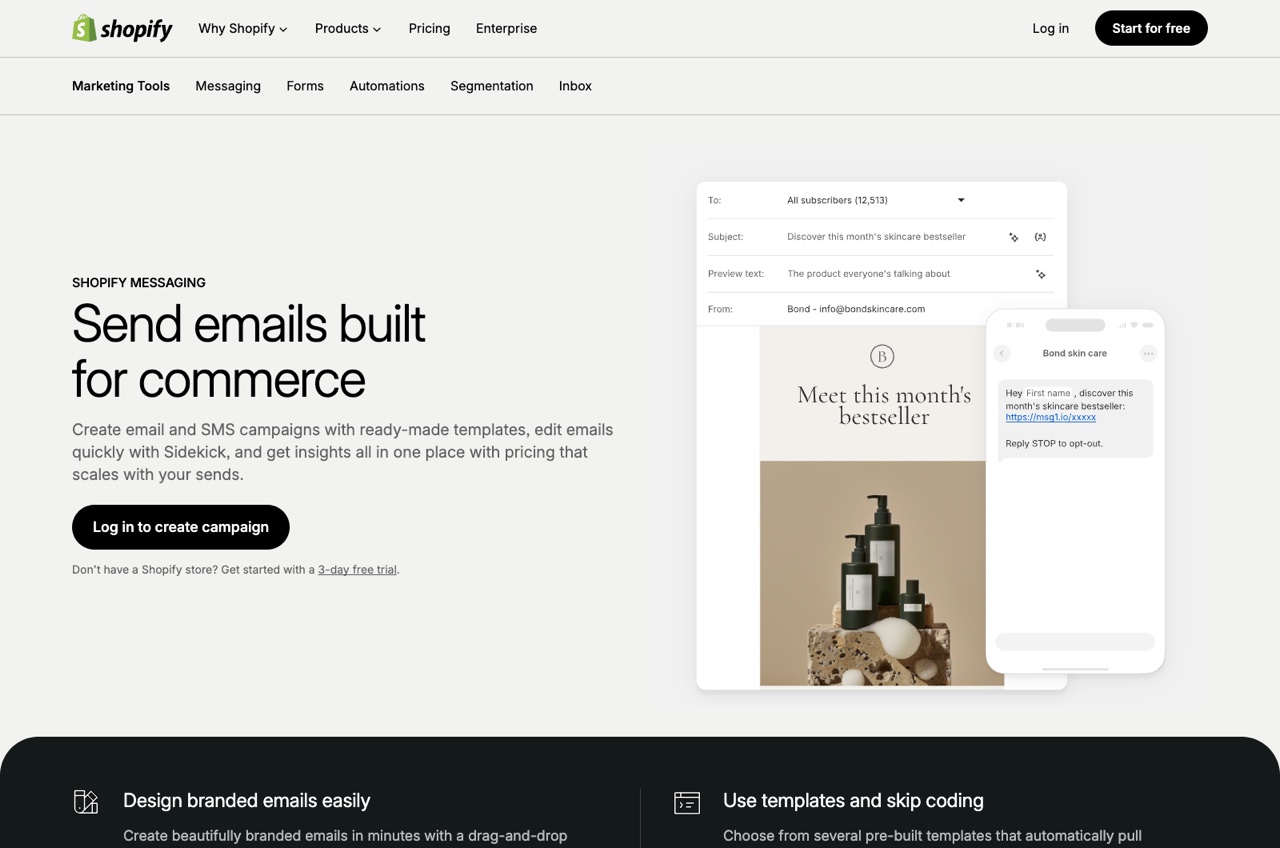
Shopify hasn't made much noise about the rename. The help center page still sits at a "shopify-email" URL but now describes Shopify Messaging, formerly Shopify Email, as one app for email, SMS and WhatsApp campaigns. Email and SMS support marketing automations. The app needs a Basic, Grow, Advanced or Plus plan, and Shopify Network Intelligence turned on in privacy settings.
The App Store listing is titled "Shopify Messaging: Email, SMS, and WhatsApp marketing made for commerce". Campaign Autopilot can suggest tactics and automations for you to approve, and Sidekick, Shopify's AI assistant, can personalize and edit emails. If you see both names in tutorials, they refer to the same product.
Shopify Email pricing
Shopify charges for emails sent, not for contacts. The email pricing page, checked 14 November 2026, sets these rates:
| Emails sent in a calendar month | Price |
|---|---|
| First 10,000 | Free |
| Additional emails up to 300,000 | $1 per 1,000 |
| Additional emails from 300,000 to 750,000 | $0.65 per 1,000 |
| Additional emails above 750,000 | $0.55 per 1,000 |
The rules that matter:
- Each recipient is one email. A campaign to 5,000 people uses 5,000 emails.
- Automations count toward the free 10,000.
- Abandoned checkout emails are always free and don't count toward the allowance.
- No rollover. Unused free emails expire at the end of the month.
- Billing shows up on the next Shopify bill as "Marketing emails". Charges don't start until the amount owed reaches half a cent.
- One spending threshold covers email, SMS and WhatsApp together. SMS and WhatsApp rates are separate from email.
What Shopify Email costs by list size and frequency
Per-send billing behaves very differently from the per-contact pricing most email apps use. A small list mailed often can cost more than a big list mailed rarely. These figures cover campaigns only, at the rates above.
| Subscribers | 4 campaigns a month | 8 campaigns a month |
|---|---|---|
| 2,000 | 8,000 emails, $0 | 16,000 emails, $6 |
| 5,000 | 20,000 emails, $10 | 40,000 emails, $30 |
| 20,000 | 80,000 emails, $70 | 160,000 emails, $150 |
| 50,000 | 200,000 emails, $190 | 400,000 emails, $358.50 |
Add your automation volume on top. A welcome series of three emails to 1,000 new subscribers a month uses 3,000 emails. Abandoned checkout emails stay free. Even so, at small and mid sizes Shopify Email is cheap. The question is usually what you can do with it, not what it costs.
Features, hands-on
The App Store listing covers these areas:
- Editor and templates. A drag-and-drop editor with branded templates, product and collection blocks pulled from your catalog, and custom code for HTML emails.
- AI. Sidekick can generate and edit content, and Campaign Autopilot recommends campaigns and automations.
- Audience. Segmentation from Shopify customer data, with tagging and targeting.
- Forms. Signup forms through Shopify Forms.
- Domains. Email domains for sending from your own address.
- Reporting. Campaign analytics including click-through and conversion rates.
Its biggest strength is that customers, products and discounts are already there. There's no sync to set up and no consent mapping to get wrong.
Shopify Email automations
The listing names automations for abandoned cart, abandoned checkout, browse abandonment, welcome, win-back, follow-up and upsell emails, plus drip campaigns with triggers and rules. It also works with Shopify Flow, which lets you build custom triggers and conditions across your store. Our walkthrough of setting up email automation on Shopify covers when each option fits.
For most new stores, three automations cover the basics: welcome, abandoned checkout and a first-purchase follow-up. Our Shopify email flows guide explains what each should contain, and the abandoned cart and browse abandonment guides go deeper on recovery.
Limits merchants report
The listing had a 4.8 rating from 4,854 reviews on 14 November 2026: 81% five-star, 13% four-star and 2% one-star. Recent reviews praise the ease of use, product linking and campaign analytics. The complaints repeat a few themes:
- A cap on content blocks per email. Most reviewers say it's enough for a newsletter; long promotional emails hit it.
- Sending to segments in batches is awkward.
- Send speed and timing. One reviewer reported a 26,000-person send taking about four hours.
- Reporting depth. Requests include click maps, per-recipient data and resending to non-openers.
- Suppressed addresses aren't visible, which makes migrating a list harder.
- API and AI-tool access is limited for merchants who want outside tools to build campaigns.
None of these matter much for a small store. They matter more as the list and team grow.
Deliverability and your sending domain
Send from an address on your own domain, not a free mailbox. Set the sender address in Settings → Notifications, then add the DNS records Shopify provides so mailbox providers can verify your mail. Add a DMARC record too; Gmail and Yahoo require one for bulk senders. Our SPF, DKIM and DMARC guide explains each record, and the free DKIM and SPF checker confirms they're live.
If campaigns start landing in spam, check list hygiene before you blame the tool. Our Shopify emails going to spam guide walks through the causes.
Shopify Email vs a dedicated Shopify email app
| Capability | Shopify Email | What to check in a dedicated app |
|---|---|---|
| Billing | Per email sent, 10,000 free a month | Per contact or per profile |
| Store data | Built in | Native sync of customers, orders, products, carts and checkouts |
| Branching flows | Automations, plus Shopify Flow for custom logic | Multi-branch flows built in the email tool |
| Browse abandonment | Yes | Yes, with product-level conditions |
| Segments | Shopify customer data | Order, product, frequency and predicted reorder data |
| A/B testing | Check the current app | Subject, content and flow-path tests |
| Revenue attribution | Campaign conversion reporting | Per email and per flow, with a chosen window |
| Popups | Shopify Forms | Built-in forms with targeting |
| Channels | Email, SMS, WhatsApp | Varies by app |
For a head-to-head with the most common upgrade, read Shopify Email vs Klaviyo.
When you've outgrown Shopify Email
Watch for these signs:
- You've built the basic automations and want different paths for first-time and repeat buyers.
- You can't answer "how much did the post-purchase flow earn last month?"
- Your list passes about 20,000 and you send weekly, so cost is no longer the deciding factor.
- Someone else (an agency, a contractor, an AI agent) needs to build and edit campaigns.
The common upgrades are Klaviyo, Omnisend and Audienceful. Klaviyo is the established choice for big retention teams; Omnisend pairs store flows with SMS. Our Shopify Email alternatives guide compares six options on price and fit. Stores on Shopify Plus can compare email marketing for Shopify Plus at higher volumes.
Audienceful is a native Shopify app billed on your Shopify invoice. It syncs customers, orders, products, carts and checkouts, and imports about a year of history. Consent syncs both ways, so Shopify stays the source of truth for who's subscribed. Ready-made Shopify flows cover browse abandonment, added to cart, abandoned checkout, post-purchase, review request, replenishment, win-back and VIP, each with branching. You get revenue attribution per email and per flow, A/B testing, and an AI agent that builds segments and whole flows from a brief. The Audienceful vs Shopify Email page compares the two side by side.
Switching from Klaviyo to Shopify Email
Some stores go the other way to cut costs. It makes sense when you mostly send campaigns and your flows are simple. What you give up is flow depth and reporting.
The short version: export consented profiles and suppressions, make sure Klaviyo-only subscribers exist in Shopify with email marketing accepted, rebuild welcome, checkout and post-purchase, replace forms, pause Klaviyo flows before enabling Shopify's, and cancel last. The common gap is the "missing subscribers" problem, where people who signed up through a Klaviyo form never became Shopify customers. Our Klaviyo to Shopify Email guide covers the reconciliation step by step.
Migrating from Shopify Email to another app
Your list already lives in Shopify, so the move is mostly about flows and settings.
- Pick an app with a native Shopify sync and confirm it maps Shopify's email consent status.
- Rebuild flows from a table of trigger, timing, content and exit for each.
- Authenticate your domain with the new app. In Audienceful, follow the custom domain guide.
- Turn off Shopify Email automations and the legacy abandoned checkout email under Settings → Checkout so customers don't get duplicates.
- Send to engaged contacts first while the new sender warms up.
Our Shopify Email migration guide and the Audienceful migration doc cover each step.
FAQs
Is Shopify Email free?
The first 10,000 emails each month are free on Basic plans and above. After that it costs $1 per 1,000 emails, falling to $0.65 and $0.55 at high volume. Checked 14 November 2026.
How many free emails do you get with Shopify Email?
10,000 per calendar month. Unused emails don't roll over.
What's the difference between Shopify Email and Shopify Messaging?
They're the same app. Shopify renamed it Shopify Messaging when it added SMS and WhatsApp alongside email.
Do automations count toward the 10,000 free emails?
Yes. Automation emails count toward the free allowance, with one exception: abandoned checkout emails.
Are abandoned checkout emails free on Shopify?
Yes. Shopify's pricing page says abandoned checkout emails are always free and don't count toward the monthly limit.
Can I send Shopify Email from my own domain?
Yes. Set a sender address on your domain and add the DNS records Shopify provides. Add a DMARC record as well.
Will my Klaviyo subscribers transfer to Shopify Email?
Only those who exist as Shopify customers with email marketing accepted. People who signed up through Klaviyo forms without buying may not be in Shopify. Export them from Klaviyo and import them as subscribed customers first.
How do I stop duplicate abandoned cart emails?
Use one sender per trigger. If an app sends checkout recovery, turn off Shopify Email's abandoned checkout automation and the legacy notification under Settings → Checkout, then test with a real checkout.
Is Shopify Email good enough for a growing store?
For a while. It handles campaigns and core automations cheaply. Most stores start looking at dedicated apps once they want branching flows, product-level segments, A/B tests and per-flow revenue reporting.
Outgrown Shopify Email? Install Audienceful and start from the ready-made Shopify flows, with a 14-day Growth trial and no card.
